




If you've just set up a contest on Splash, you're probably eager to get participants involved quickly and easily. Our Contest Invites Manager makes inviting members straightforward, no matter how big your group is or where they're coming from. Let's walk through exactly how this powerful tool works.
Once you've created your contest, you'll land on the contest overview page. Here, you can either view details about your contest or proceed directly to inviting participants by clicking the "Invite Members" button.
The invite page provides you with several convenient options:
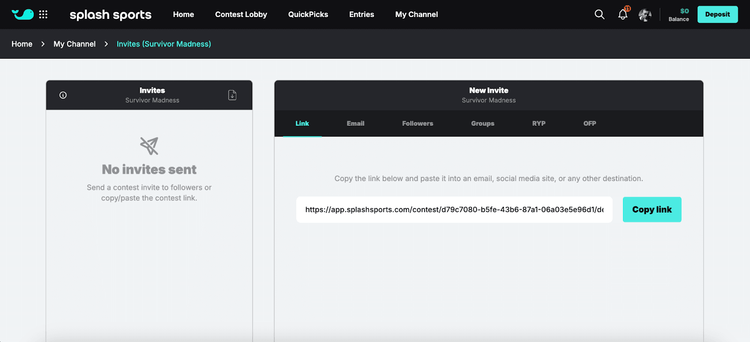
Shareable Invite Link
Right at the top, you'll find a personalized invite link. This link is perfect if you're using an existing email list or a group chat. Simply copy it and share it directly with your contacts.
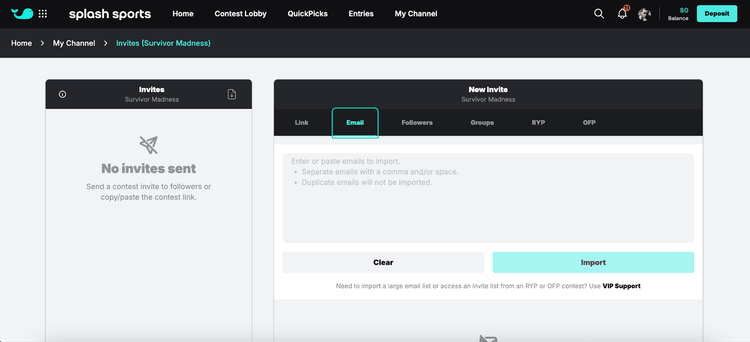
Emails Tab
Have a large list of emails? The "Emails" tab is your friend. You can either paste emails manually or upload them via CSV. Once imported, review your invite details and hit send. You'll immediately see your invite count update, confirming the number of invites sent.
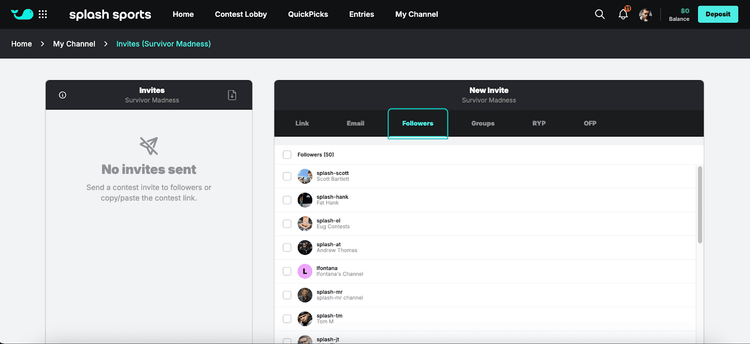
Followers Tab
For existing Splash users with followers, this tab simplifies things even further. Quickly invite any follower by selecting their name, reviewing the invite, and sending it off. You'll also get real-time updates on invite status directly in this tab.
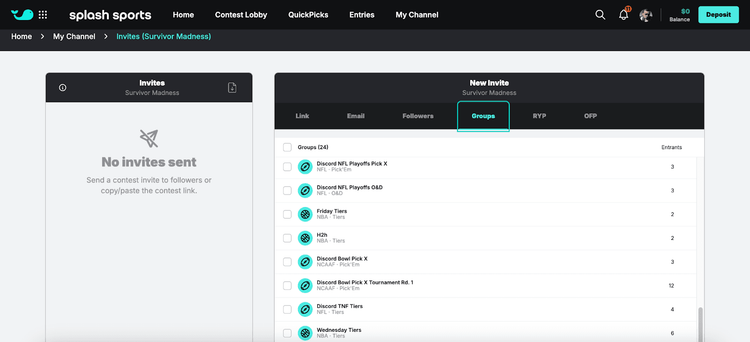
Groups Tab
If you've previously hosted contests on Splash, this tab lets you invite past participants with a few clicks. Simply select your past contest, review the invite, and send. Your previous participants will instantly receive your invite.
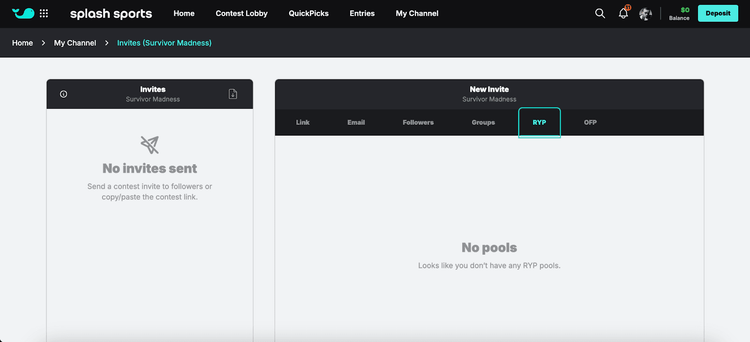
RunYourPool & OfficeFootballPool Tabs
For users migrating from RunYourPool or OfficeFootballPool, these tabs make transitioning smooth. Easily view past contests from those platforms, download participant emails via CSV for off-platform emailing, or send invites directly through Splash.
For example, if you previously hosted a March Madness bracket, select that contest, review your list, and send invites instantly. You'll see a confirmation message indicating success and your invite count updated accordingly.
Managing Your Invites
After you've sent invites, you can always track them through the invite manager. A downloadable CSV with invite details is available, keeping you informed of who has been invited.
Note: Once someone receives an invite for a specific contest, they can't be invited again—each invite is unique and single-use.
With Splash's Contest Invites Manager, inviting participants has never been easier or faster. Happy contest hosting!